INSIGHTS & GUIDES

Buyers Guide

107 Stories
Smartwatch Buying Guide 2026: Health Features That Actually MatterBuyers Guide

Smartwatch Buying Guide 2026: Health Features That Actually Matter

A smartwatch can do much more than show notifications, count steps, or let you change the watch face every morning. In 2026, smartwatches have become useful everyday companions for people who want to keep a closer eye on their activity, sleep and overall wellness.

But there is one problem: smartwatches come with a long list of health and fitness features, and not all of them are equally useful.

Heart-rate monitoring, SpO?, sleep tracking, stress monitoring, activity tracking, workout modes, and so on. 

So, what should you actually look for when buying a smartwatch?

This guide breaks down the genuinely useful health features, what they tell you, and a few smartwatch options currently available at Lotus Electronics.


1. Start with heart-rate monitoring

If you are buying a smartwatch mainly for health and fitness, heart-rate monitoring is one of the first features to check.

A smartwatch can track your heart rate throughout the day and during workouts. This can help you understand how your heart rate changes when you are walking, exercising, resting or recovering.

For someone who exercises regularly, heart-rate information can also make workouts more meaningful. Instead of simply knowing how long you exercised, you get a better idea of how intensely your body was working.

However, remember that a smartwatch is not a medical device. Its readings are useful for everyday tracking and awareness, but they should not be treated as a diagnosis.

What to look for:

  • Continuous or regular heart-rate tracking

  • Workout heart-rate monitoring

  • Resting heart-rate information

  • Easy-to-read health data through the companion app


2. SpO? Monitoring: Useful, but understand what it means

SpO?, or blood oxygen monitoring, is another feature you'll find on many modern smartwatches.

It estimates the oxygen saturation level in your blood. For everyday users, the biggest advantage is simply being able to keep an eye on your readings over time.

For example, you might notice how your readings vary under different circumstances. But don't buy a smartwatch purely because it has an SpO? sensor.

The important thing is understanding that smartwatch SpO? readings are wellness indicators, not medical diagnoses. If you have a health concern, a proper medical device and professional advice are more appropriate.


3. Sleep tracking is more useful than another fancy watch face

We spend roughly a third of our lives sleeping, so it makes sense for a smartwatch to tell you something about it.

Good sleep tracking can give you an overview of your sleep patterns and help you become more aware of your routine.

Instead of looking at one night's data, look for patterns over several days or weeks.

Are you sleeping at consistent times? Are you getting enough rest? Does your sleep change when you exercise more or stay up late?

That's where sleep tracking becomes genuinely useful.

When comparing watches, check whether they offer:

  • Sleep duration tracking

  • Sleep-stage information

  • Sleep trends

  • A comfortable design for wearing overnight

And there is one simple test that people often forget: Will you actually be comfortable sleeping with the watch on?

A feature is only useful if you use it consistently.


4. Workout tracking should match your lifestyle

Don't get distracted by a smartwatch claiming hundreds of sports modes if you only regularly do three activities.

Instead, think about what you actually do.

If you walk every evening, go to the gym, cycle on weekends or practise yoga, make sure the smartwatch supports the activities you care about.

GPS can also be useful if you regularly run, walk or cycle outdoors, because it can help track routes and distance without relying entirely on your phone.


5. Stress & wellness tracking: Helpful for awareness

Modern smartwatches are increasingly moving beyond steps and calories into broader wellness tracking.

Stress monitoring can give you an indication of changes in your body's patterns and encourage you to take breaks or pay more attention to your routine.

But, again, treat these features as awareness tools rather than medical assessments.

A smartwatch can tell you that your tracked metrics have changed. It cannot explain exactly why they changed.


6. Don't ignore battery life

Here's an underrated health feature: battery life.

Why? Because health tracking works best when you actually wear the watch.

If you have to charge it every evening, you may remove it overnight. And if you remove it overnight, you lose sleep data. If you leave it at home because the battery is low, you lose activity data too.

So when comparing smartwatches, think about how often you're realistically willing to charge them.


7. Water resistance matters more than you think

If you exercise regularly, water resistance is worth checking.

Sweat, rain and accidental splashes are part of everyday smartwatch use. If you want to wear your watch during workouts or outdoor activities, a suitable water-resistance rating can provide additional peace of mind.

Just remember that water resistance ratings have specific limitations. They don't automatically mean that every watch is suitable for swimming or diving.


4 Smartwatch options to explore at Lotus Electronics

Lotus Electronics currently offers smartwatches across brands including Noise, boAt, Samsung, Apple, Oppo, Amazfit, Timex, Fastrack and Fire-Boltt, giving buyers options across different price ranges.

Here are four models worth looking at:

1. Noise ColorFit Pro 5 Max

A strong option if health and everyday fitness tracking are high on your list. The Lotus Electronics listing includes blood oxygen monitoring, IP68 water resistance, Bluetooth calling and up to seven days of standby time.

It also comes with a 1.96-inch AMOLED display, making it suitable for people who want a larger screen along with their fitness features.

Market Price: Rs. 9,999

Lotus Price: Rs. 4,499


2. Noise ColorFit Pro 5 Elite

If you prefer something slightly more compact and premium-looking, the Noise ColorFit Pro 5 Elite is another option available at Lotus Electronics.

The model features a 1.73-inch AMOLED display and stainless-steel body, making it a watch that can move easily between workouts and everyday wear.

Market Price: Rs. 9,999

Lotus Price: Rs. 3,999


3. boAt Ultima Ember

For buyers looking for a larger display at a lower price point, the boAt Ultima Ember is another model.

It features a 1.96-inch AMOLED display, functional crown and Bluetooth calling. Lotus Electronics has listed different colour variants, with pricing varying by variant and availability.

Market Price: Rs. 8,999

Lotus Price: Rs. 2,499


4. Samsung Galaxy Watch Ultra

At the premium end, Lotus Electronics lists the Samsung Galaxy Watch Ultra 47 mm LTE.

The model sits in a very different category from the budget-friendly watches above, making it worth considering for buyers looking for a more premium smartwatch experience. 

Market Price: Rs. 59,999

Lotus Price: Rs. 25,000


A simple checklist before you buy

? Heart-rate monitoring
Useful for everyday tracking and workouts.

? SpO? monitoring
Useful as a wellness indicator, but not a medical diagnosis.

? Sleep tracking
Helpful for understanding long-term sleep patterns.

? Activity & workout tracking
Makes everyday movement and exercise easier to monitor.

? GPS
Important for outdoor walking, running and cycling.

? Water resistance
Worth checking if you exercise frequently or spend time outdoors.

? Battery life
A watch you wear consistently is more useful than one with impressive features that spends half its time charging.

? Comfortable design
Especially important if you want to wear it overnight.


The smartest way to choose a smartwatch in 2026

The best smartwatch for you isn't necessarily the one with the longest feature list.

It's the one whose features fit naturally into your everyday life.

Don't pay extra for ten health metrics if you'll only use two. Don't choose a watch based only on its display. And don't assume that more health sensors automatically mean better health tracking.

Instead, ask yourself three simple questions:

  • What do I want to track?

  • How often will I actually wear it?

  • Which features will help me understand my habits better?

With Lotus Electronics offering smartwatches from multiple brands and across different price points, you can compare your options based on the features that genuinely matter to you, rather than simply buying the watch with the longest specification sheet.

 
Read Story
Water Purifier Buying Guide: RO vs UV vs UF ExplainedBuyers Guide

Water Purifier Buying Guide: RO vs UV vs UF Explained

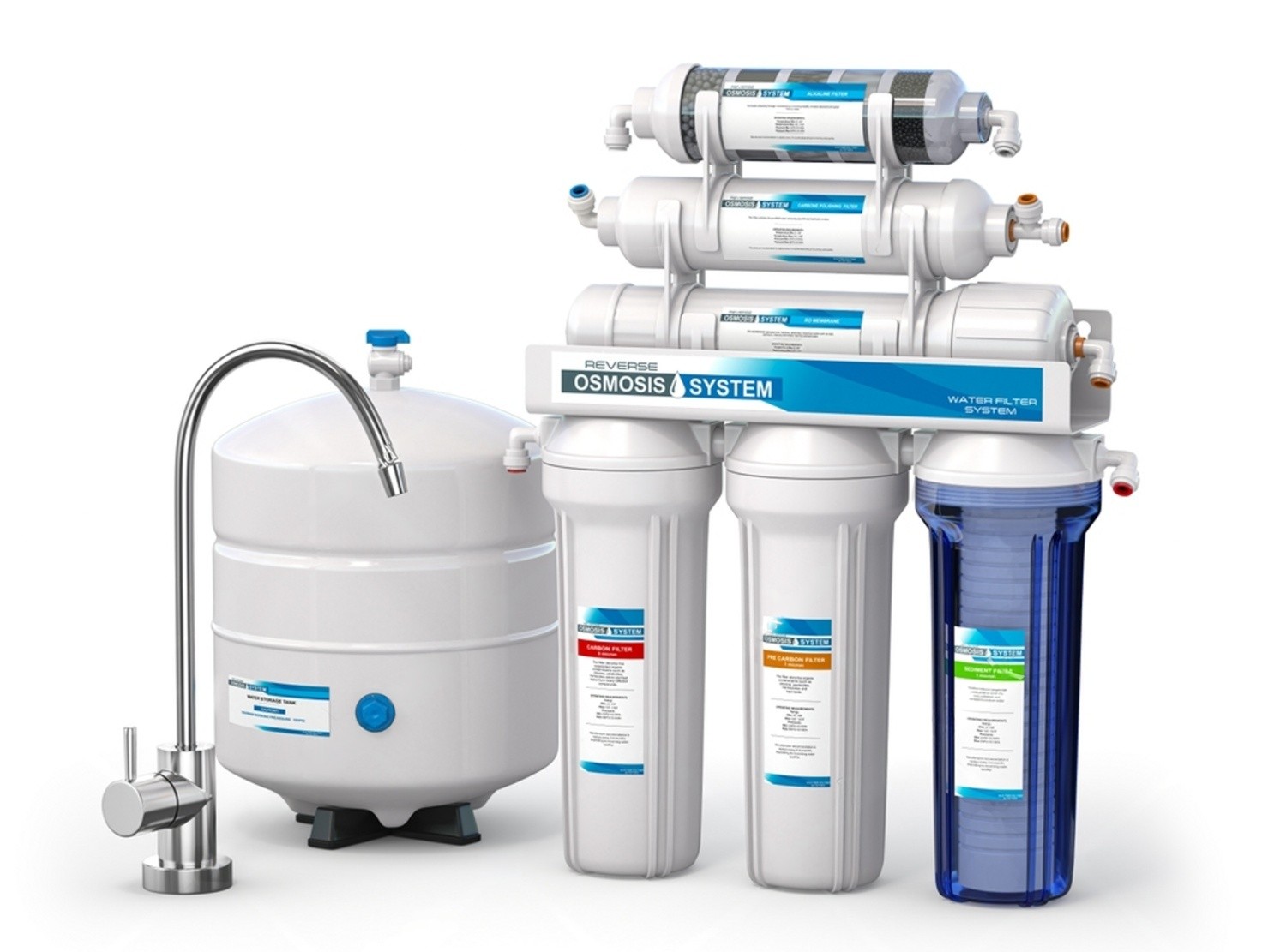
Choosing a water purifier can feel surprisingly complicated -RO, UV, UF, TDS, alkaline, multi-stage purification. There are plenty of terms, but which one actually matters for your home?

No single purifier is perfect for every home. The right choice depends largely on the quality and source of your water.

If your home receives municipal water, your requirements can be very different from someone using borewell or tanker water. So, before choosing a purifier based only on its brand, price, or number of purification stages, it helps to understand what RO, UV, and UF actually do.

At Lotus Electronics, we break it down for you.


RO, UV and UF: What do they actually mean?

Think of these three technologies as different specialists working on different kinds of water problems.

1. RO - The Heavy Lifter

RO stands for Reverse Osmosis.

RO uses a semi-permeable membrane to filter water under pressure. One of its biggest advantages is that it can reduce dissolved salts and other dissolved impurities, making it particularly useful when the incoming water has high TDS (Total Dissolved Solids). 

This is why RO purifiers are often preferred for borewell, tanker, or other high-TDS water sources.

However, RO purification also means that some naturally occurring minerals are reduced along with unwanted dissolved substances. Many modern RO purifiers include features such as TDS control or mineral/alkaline cartridges.

Best suited for: High-TDS water, borewell water, and tanker water.


2. UV - The Germ Fighter

UV stands for Ultraviolet purification.

Unlike RO, UV does not primarily work by removing dissolved salts. Instead, UV light is used to inactivate microorganisms such as bacteria and viruses.

That makes UV particularly useful when the main concern is microbial contamination in relatively low-TDS water.

UV purifiers generally work best when the incoming water is already reasonably clear because suspended particles can interfere with the effectiveness of UV treatment.

Best suited for: Municipal or low-TDS water where microbial safety is the primary concern.


3. UF - The Fine Filter

UF stands for Ultrafiltration.

UF uses a very fine membrane to physically filter out suspended particles and certain microorganisms. Unlike RO, it does not significantly reduce dissolved salts or TDS.

UF also does not require the same kind of high-pressure process as RO.

That makes UF useful as part of a purification system, particularly where the water doesn't have high dissolved solids.

Best suited for: Low-TDS water where filtration of suspended impurities and microorganisms is important.


RO vs UV vs UF: Which one should you choose?

Before buying a purifier, ask yourself one simple question:

“Where does my home's water come from?”

That answer can narrow down your choices considerably.


Technology

What it mainly does

Ideal for

RO

Reduces dissolved salts/TDS and many dissolved contaminants

Borewell, tanker & high-TDS water

UV

Inactivates microorganisms

Municipal & low-TDS water

UF

Filters fine suspended impurities

Low-TDS water

RO + UV + UF

Combines multiple purification methods

Homes that want broader purification


5 Water Purifiers to consider from Lotus Electronics

If you're looking to compare options, Lotus Electronics lists a wide range of RO, UV, and multi-stage water purifiers. Here are five interesting models from its range.

1. ATOMBERG Intellon Adaptive RO Water Purifier

For people who want a modern purifier that doesn't simply run RO all the time, the ATOMBERG Intellon is an interesting option.

It features RO + UF + UV, along with an alkaliser and taste enhancer. What makes it particularly interesting is its adaptive purification approach. It can use UF + UV when the TDS is below 300 and RO when required.

It also comes with an 8-litre storage capacity and smart/IoT functionality.

Why consider it?
If you want multiple purification technologies along with a smarter approach to when RO is used, this is worth considering.

Market Price: Rs. 25,999

Lotus Price: Rs. 17,799


2. Eureka Forbes Aquaguard RO + UV + CU Alkaline

The Eureka Forbes Aquaguard is designed for buyers looking for a comprehensive multi-stage purification system.

The model listed by Lotus Electronics features RO + UV + CU Alkaline and a 5.0 litre capacity. It also has features such as auto-flushing and cartridge-life indicators.

The combination of RO, UV, and CU makes it suitable for households looking for multiple layers of purification, particularly where water quality can vary.

Why consider it?
A strong choice if you want an all-rounder with RO, UV, and CU Alkaline in one system.

Market Price: Rs. 31,000

Lotus Price: Rs. 23,199


3. KENT Grand Plus RO + UV + UF + TDS

If you are looking for a purifier with a larger storage capacity, the KENT Grand Plus is another option available through Lotus Electronics.

It offers RO + UV + UF + TDS control and comes with a 9-litre storage tank. It also has an RO membrane capacity of 100 litres per day and an auto-flushing system.

One useful feature is its TDS control, which allows users to adjust the level of TDS in the purified water.

Why consider it?
A practical option for families looking for a larger-capacity RO purifier with multiple purification technologies.

Market Price: Rs. 25,500

Lotus Price: Rs. 18,499


4. Havells UV Plus 7-Litre UV + UF Water Purifier

Not every home needs RO.

If your home primarily receives municipal water with relatively low TDS, a UV + UF purifier can be a more appropriate choice.

The Havells UV Plus comes with UV + UF technology, a 7-litre storage tank, and a 5-stage purification system.

Because it does not use RO, it is designed around UV and UF purification rather than reducing dissolved salts through reverse osmosis.

Why consider it?
A good option to explore if your water source is municipal and high TDS isn't your primary concern.

Market Price: Rs. 15,790

Lotus Price: Rs. 9,899


5. Eureka Forbes Aquaguard Premier UV + UF

Another option for low-TDS or municipal water is the Eureka Forbes Aquaguard Premier UV + UF.

It is a UV + UF purifier with a 6-litre storage tank, 5 purification stages, and a specified TDS range of 1-200 mg/litre. It also includes copper and zinc infusion and a booster pump.

The product is specifically positioned for municipal water and is not intended for borewell or tanker water.

Why consider it?
If your home gets municipal water and you want UV + UF purification without going for an RO system, this model is worth a look.

Market Price: Rs. 18,500

Lotus Price: Rs. 10,099


So, which water purifier is right for you?

Here's a simple cheat sheet:

Borewell water?
Look towards RO or RO-based multi-stage purifiers.

Tanker water?
An RO purifier is generally worth considering, especially if the water has high TDS.

Municipal water with low TDS?
You may not need RO. UV + UF can be a more suitable combination.


Don't buy a purifier just because it has more stages

A purifier with 10 stages isn't automatically better than one with 5 stages.

What matters is whether those stages address the actual problems in your water.

Start by understanding your water source and, ideally, check its TDS and overall quality. Then look at the purification technology, storage capacity, filter replacement requirements, installation, and after-sales service.

And remember: RO, UV, and UF aren't competitors. They solve different problems.

RO tackles dissolved impurities and high TDS. UV focuses on microorganisms. UF provides fine physical filtration without significantly reducing dissolved salts.

For more options, you can explore the Water Purifiers & Dispensers section on Lotus Electronics, which includes RO, UV, and other purifier options from brands such as KENT, Eureka Forbes, Havells, and ATOMBERG.

 
Read Story
New Mac Mini 2026 (M6-M5 Pro): India Price, Specs & Availability GuideBuyers Guide

New Mac Mini 2026 (M6-M5 Pro): India Price, Specs & Availability Guide

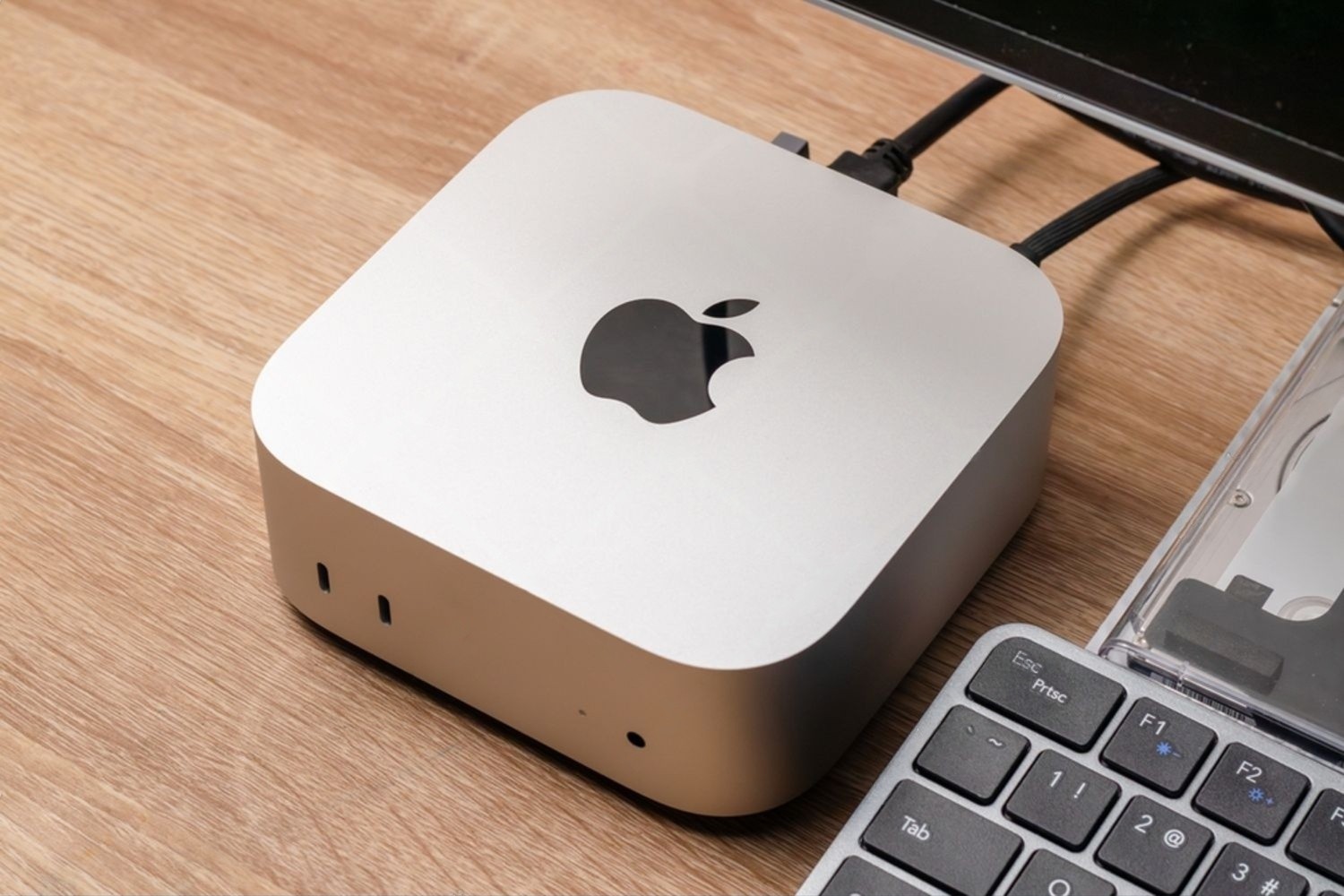
There is something quite interesting about the Mac mini. It doesn't look like a powerful computer. It is small, sits quietly on a desk, and doesn't even come with a screen or keyboard.

Over the years, Apple has turned this little desktop into one of its most capable Macs. And with the new Mac mini 2026 launching this month, that idea has been taken another step forward.

Apple has introduced the new Mac mini with two chip options: M6 and M5 Pro. The M6 is for people who want a fast, compact everyday Mac, while the M5 Pro is for those users who need serious performance for professional work.

If you're thinking about buying one in India, here's what you should know.


Mac Mini 2026: What's new?

The design hasn't suddenly become bigger or more complicated. The Mac mini is still the compact desktop that can easily disappear into a workspace.

The real changes are inside.

The new M6 chip brings a 12-core CPU and 12-core GPU, along with a new generation of Neural Engine and Neural Accelerators built into the GPU. According to Apple, this gives the M6 Mac mini up to 40% faster CPU performance and up to twice the graphics performance compared with the previous M4 model. AI performance can be up to four times faster.

For most people, it means a Mac that feels quick even when you're doing several things at once. You can have multiple browser tabs open, work on documents, edit photos, use creative applications, and switch between tasks without constantly waiting for the computer to catch up.


Mac Mini M6 vs M5 Pro: Which one should you go for?

This is probably the biggest question for anyone looking at the new Mac mini.

The M6 is the sensible choice for most users.

It comes with 16GB of unified memory as standard and can be configured with up to 32GB. Storage starts at 256GB, with higher storage options available. It also gets Wi-Fi 7, Bluetooth 6, 2.5Gb Ethernet, and Thunderbolt 4 connectivity.

For a student, business professional, programmer, content creator, or someone setting up a home office, this is already a lot.

Then there's the M5 Pro.

This is where Apple starts targeting a different kind of user. The M5 Pro Mac mini can be configured with up to an 18-core CPU and a 20-core GPU, making it much better suited to demanding workloads such as video production, 3D work, game development, and scientific computing.

It also supports Thunderbolt 5, giving professionals more flexibility when connecting high-performance external devices and displays.


Mac Mini 2026 price in India

Now to the part that matters most when you're actually planning a purchase.

The new Mac mini M6 starts at Rs. 99,900 in India, while the M5 Pro starts at Rs. 2,09,900.

That's a fairly large difference, and it is exactly why choosing the right configuration matters.

The final price will depend on the memory and storage configuration you choose. 

If you're comparing configurations and offers, Lotus Electronics is also worth checking for the latest Apple product pricing and purchase options in India. 

And there's an important point here: don't automatically assume that the M5 Pro is the better buy just because it is more powerful.

If you're primarily using your Mac for office work, browsing, presentations, coding, photo editing, or general content creation, spending more than Rs. 2 lakh may simply be unnecessary.

For those users, the M6 should be more than capable.


When will the Mac Mini 2026 be available in India?

Apple has opened pre-orders for the new Mac mini, with availability beginning September 22, 2026.

Actual stock can vary between retailers and cities, particularly around launch.

This is where buying from a retailer with both online and physical store options can be useful. Lotus Electronics, for example, has an Apple product range and stores across several cities in Central and Western India. Its website currently highlights Apple products along with options such as GST billing, no-cost EMI, exchange assistance and store pickup.


Is the Mac Mini M6 good for work?

For most people, yes.

And that's probably the biggest attraction of the Mac mini.

You don't necessarily need a huge desktop setup anymore. Connect the Mac mini to a monitor you already own, add a keyboard and mouse, and you've got a complete desktop workstation.

It makes particularly good sense for people who already have a good display.

For example, someone moving from an older Windows desktop to a Mac doesn't necessarily need to replace the entire setup. The Mac mini can simply become the new computer at the centre of it.

It is also a particularly interesting option for developers and creators who want desktop performance without having a large CPU cabinet sitting under the desk.


Who should consider the M5 Pro?

The M5 Pro is a different story.

If you're editing videos professionally, working with 3D models, developing games, running demanding simulations, or dealing with heavier AI workloads, the extra performance can be useful. For these users, time matters.

But if you're only going to use the Mac mini for Chrome, Microsoft Office, emails, Netflix, and occasional Photoshop work, you probably don't need the M5 Pro.


Connectivity gets better

One of the less exciting things to talk about with a new computer is ports and connectivity. But when you're buying a desktop, it matters.

The 2026 Mac mini gets Wi-Fi 7 and Bluetooth 6, while both M6 and M5 Pro models support upgraded 2.5Gb Ethernet, with a 10Gb Ethernet option available.

The M6 comes with Thunderbolt 4, while the M5 Pro steps up to Thunderbolt 5.

These features are important for those who deal with multiple monitors, external storage, fast networking equipment, and other accessories.


Should you buy the new Mac Mini?

If you've been waiting for a compact Mac desktop, it's worth considering.

The M6 model is likely to appeal to the largest number of buyers. It offers plenty of performance without pushing the price into professional-workstation territory.

The M5 Pro, meanwhile, makes sense for people who know they will actually use that additional power. If you're ready to buy, comparing the latest configurations, pricing, and offers at Lotus Electronics can help you choose the right model. 

The nice thing is that the basic Mac mini idea hasn't changed: you get a very small computer, bring your own display and accessories, and build the setup you want around it.

That's still a pretty good proposition.

The new Mac mini 2026 is not a dramatic redesign. And honestly, it doesn't need to be.

The new models will be available from September 22, 2026.

 
Read Story
Daikin vs Hitachi vs Blue Star: What to Consider Before Buying an ACBuyers Guide

Daikin vs Hitachi vs Blue Star: What to Consider Before Buying an AC

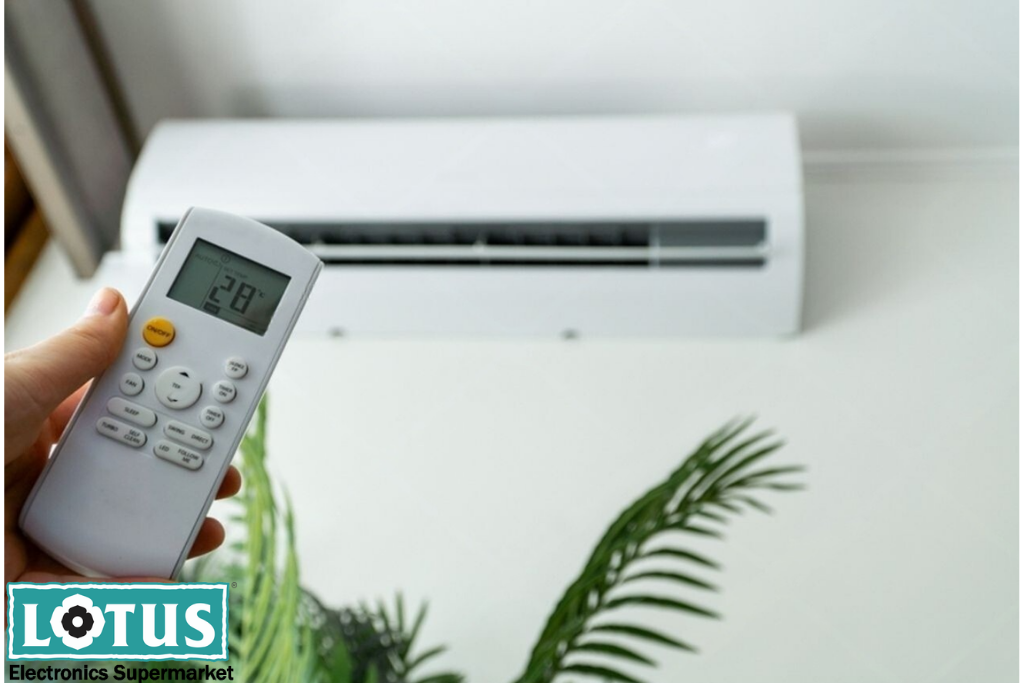
Buying an air conditioner is no longer as simple as choosing a brand and picking the model with the highest star rating. Today, ACs come with inverter technology, Wi-Fi, advanced filters, different cooling modes, smart sensors, and several other features. And when you are comparing trusted names like Daikin, Hitachi and Blue Star, the real question is not “Which brand is best?” but “Which AC is best for my room, usage and budget?”

If you are planning to buy a new AC, this guide will help you understand the important factors before making your decision. We have also picked a few models currently listed on Lotus Electronics to make your comparison easier.


Daikin vs Hitachi vs Blue Star: Why these brands?

All three brands have a strong presence in the Indian AC market, but their models can differ significantly in terms of features, capacity, energy efficiency, and price.

Daikin is often considered by buyers who prioritise efficient cooling, inverter technology and dependable everyday performance.

Hitachi offers models with interesting convenience and air-management features, including FrostWash, Wi-Fi connectivity, wide air throw and multi-directional airflow on selected models.

Blue Star has a broad AC portfolio, with options ranging from compact 1-ton models to larger 2-ton units, making it easier to find something for different room sizes and budgets.


What size AC do you need?

Before comparing Daikin, Hitachi, or Blue Star, determine the right tonnage.

An AC that is too small may struggle to cool the room, especially during peak summer. On the other hand, buying a much larger AC than necessary can mean spending more than required.

As a general starting point:

  • 1 Ton: Suitable for smaller rooms, depending on room conditions.

  • 1.5 Ton: A popular choice for bedrooms and medium-sized rooms.

  • 2 Ton: Better suited to larger rooms or spaces with a higher cooling load.

However, room size isn't the only factor. Ceiling height, sunlight entering the room, number of occupants, windows, and insulation can all affect the cooling requirement.

So don't simply buy a 1.5-ton AC because it is the most popular size. Choose according to your actual room and usage.


Inverter AC or Non-Inverter AC?

If you are comparing modern models from Daikin, Hitachi, and Blue Star, you will notice that inverter ACs dominate the selection.

An inverter AC can vary the compressor speed according to the cooling requirement instead of repeatedly switching the compressor fully on and off. This can provide more consistent cooling and potentially improve energy efficiency when the AC is used regularly.

For people who use their AC for several hours every day, an inverter model is generally worth considering.

Blue Star also has several inverter options, including 1.5-ton and 2-ton models.


Don't look at the Star Rating alone

A 5-star AC can be more energy-efficient, but that doesn't automatically mean it is the right choice for everyone.

Think about how frequently you use your AC. If you run it for long hours every day, spending more on a higher-efficiency model may make sense because electricity consumption becomes an important part of the ownership cost.

If you use the AC occasionally, you may prefer to spend less upfront and choose a model that offers the features you actually need.

Blue Star's selection similarly includes both 3-star and 5-star inverter models.

The smart approach is to balance purchase price + expected electricity usage + years of ownership.


Cooling performance matters

It's easy to get distracted by features. Wi-Fi sounds exciting. A fancy display looks great. Smart controls can be useful. But your priority should always be cooling performance for your room.

Look at the AC's capacity, cooling modes, airflow, and operating conditions.

For particularly hot locations, check whether the model is designed to operate effectively under high ambient temperatures.

These are features worth considering if your priority is maintaining comfortable cooling during harsh summer conditions.


Airflow can change your experience

Imagine buying a powerful AC and still feeling that one corner of the room isn't cooling properly. That's where airflow design becomes important.

Features such as 4-way swing, long air throw, and adjustable louvers can help distribute cool air more effectively.

Don't compare ACs only by “1.5 Ton” or “5 Star”. Look at how the AC delivers that cooling into your room.


Think about maintenance too

Nobody wants an AC that becomes difficult to maintain after a year or two.

This is why features designed to make cleaning and maintenance easier can be valuable.

When comparing models, check the filter system, cleaning features, service requirements, and warranty terms rather than looking only at the initial price.


5 AC models worth considering on Lotus Electronics

Here are five options currently listed on Lotus Electronics.

1. Daikin FTKM50UV16VA - 1.5 Ton, 5 Star Inverter

A strong option for buyers who want a 1.5-ton, 5-star inverter AC. It is a good model to consider if energy efficiency is high on your priority list and the room requires around 1.5-ton capacity.

Best for: Regular AC users looking for an energy-efficient 1.5-ton option.

Market Price: Rs. 61,940

Lotus Price: Rs. 46,899


2. Daikin DTKL50UV16VAF - 1.5 Ton, 3 Star Inverter

If you want Daikin's inverter technology but want to look at a lower-priced 3-star option, the DTKL50UV16VAF is worth comparing. Lotus Electronics lists it as a 1.5-ton, 3-star inverter model.

Best for: Buyers balancing upfront cost and inverter performance.

Market Price: Rs. 53,830

Lotus Price: Rs. 35,899


3. Hitachi Signature 3600SWXL RAK.X318PCD3MM - Approx. 1.5 Ton, 3 Star Inverter

This Hitachi model brings an interesting feature set, including FrostWash, Wi-Fi, 4-way swing, Xpandable+, long air throw, Tropical Design up to 54°C, and stabilizer-free operation. Lotus Electronics lists it for approximately a 150 sq. ft. room.

Best for: Buyers who want feature-rich cooling and smart connectivity.

Market Price: Rs. 71,990

Lotus Price: Rs. 40,499


4. Hitachi YOSHI 5500STXL RAK.V522PCBISH1 - Approx. 2.0 Ton, 4 Star Inverter

For buyers looking for a higher-efficiency Hitachi option, this 4-star inverter model is worth considering. It features 4-way swing, Wi-Fi, dual louvers, Auto Convertible and Auto Expandable functions, along with long air throw.

Best for: Buyers looking for a premium 2.0-ton Hitachi with smart and airflow features.

Market Price: Rs. 91,200

Lotus Price: Rs. 57,899


5. Blue Star IC518DNU - 1.5 Ton, 5 Star Inverter

Blue Star's IC518DNU is another strong option for buyers looking for a 1.5-ton, 5-star inverter AC. Lotus Electronics currently lists it among its Blue Star AC selection.

Best for: Buyers who want a 5-star inverter AC from Blue Star.

Market Price: Rs. 73,000

Lotus Price: Rs. 45,299


So, which one should you buy?

If energy efficiency and a straightforward premium AC experience are your priorities, Daikin deserves a close look.

If you are attracted to smart features, advanced airflow and cleaning-focused features, Hitachi models can be particularly interesting.

If you want a wide range of choices across capacities, star ratings and price points, Blue Star gives you plenty to compare.

Before buying, check these five things:

Room size → Tonnage → Star rating → Usage hours → Features you will actually use.

And don't forget installation. Proper installation, suitable outdoor-unit placement, and regular cleaning can make a noticeable difference to your AC experience.

For the latest models, offers, and availability, explore the Air Conditioners collection at Lotus Electronics. Product prices and availability can change, so check the product page before making your purchase.

 
Read Story
How to Choose the Right Laptop: Windows, MacBook, Linux, or 2-in-1?Buyers Guide

How to Choose the Right Laptop: Windows, MacBook, Linux, or 2-in-1?

Choosing a laptop can seem easy until one actually embarks on the journey.

One will find many models available at the shopping site, ranging from Intel Core and Ryzen processors to differing amounts of RAM and even SSDs. The basic problem then becomes: What laptop will be right for me?

This laptop is not the one with the best processor or the most expensive one. It is the laptop that fits into your work specifications and budget.

At Lotus Electronics, are laptops for all types - Windows, MacBook, and Linux/Ubuntu - ranging from convertibles to others.

So, before you make that purchase, let's make the decision much easier.


Ask yourself one simple question: “What will I do with it?”

Think about your typical day.

Are you attending online classes, browsing the internet, and making presentations? Do you spend your day working on Excel sheets and emails? Are you a designer or video editor? Maybe you're a gamer. Or perhaps you simply want a lightweight machine for travel and entertainment.

A student may not need a powerful gaming laptop. A graphic designer may not be happy with an entry-level machine. A business professional may prioritise portability and battery life, while a developer may value Linux compatibility.

Once you know your use case, choosing the operating system becomes much easier.


Windows: The all-rounder

For most people, Windows is the easiest place to start.

Windows laptops come in a variety of sizes, specifications, and price points. You can find affordable machines for everyday tasks, powerful laptops for professional work, and high-performance gaming laptops with dedicated graphics.

The biggest advantage is flexibility.

Windows works with a huge range of software, accessories, and peripherals. If your work involves Microsoft Office, business applications, specialised software or PC gaming, Windows is often the most straightforward choice.

Lotus Electronics has a wide selection of Windows laptops from brands such as ASUS, HP, Lenovo and others. Its range includes models with Intel Core Ultra and Intel Core i5 processors, as well as other configurations for different budgets and workloads.

Choose Windows if you:

  • Want maximum software compatibility

  • Need a laptop for office or business work

  • Enjoy PC gaming

  • Want plenty of choices across different budgets

  • Prefer having many brands and configurations to choose from

In short, Windows is the safe, versatile choice for almost everyone.


MacBook: Simple, premium, and efficient

If you're already using an iPhone or other Apple devices, a MacBook can feel like a natural extension of your digital life.

MacBooks run on Apple's macOS and are particularly popular among creative professionals, students and people who appreciate a clean, simple user experience. Apple's hardware and software are designed to work closely together, making everyday tasks feel smooth and intuitive.

MacBooks are also known for their premium construction, displays, and efficient performance.

Choose a MacBook if you:

  • Already use Apple devices

  • Want a premium, streamlined experience

  • Work in design, content creation, or other creative fields

  • Value portability and a polished build

  • Prefer macOS over Windows

One thing to remember: Some Windows-only applications may not be available in the same way on macOS. So always check the software you use before switching.


Linux: For people who like more control

Linux is a little different.

Unlike Windows and macOS, Linux is not just one operating system. There are different distributions, such as Ubuntu, Fedora, and others. Linux is especially popular among developers, programmers, technology enthusiasts, and users who want greater control over their computing environment.

Linux can be an excellent choice if you understand your software requirements and enjoy customising your system. It can also be attractive for development environments and technical workflows.

Choose Linux if you:

  • Are a developer or programmer

  • Prefer open-source software

  • Want greater control over your operating system

  • Enjoy customising your computing environment

  • Know that your required applications work on Linux

In short, Linux is less about “what is easiest?” and more about “what gives me the control I want?”


2-in-1: One laptop, two personalities

Now imagine having a laptop that can become a tablet. That's the idea behind a 2-in-1 or convertible laptop.

These laptops typically feature a touchscreen and a hinge that allows the display to fold or rotate into different positions. You can use them like a conventional laptop for typing and then switch to a tablet-style setup for reading, presenting, sketching, or entertainment.

Lotus Electronics offers convertible laptops, including Lenovo Yoga and IdeaPad Flex models.

Choose a 2-in-1 if you:

  • Want touchscreen convenience

  • Travel frequently

  • Take handwritten notes or sketch

  • Give presentations

  • Want laptop and tablet functionality in one device

A 2-in-1 makes sense when flexibility is more important than simply having the maximum performance for your money.


5 laptop models worth exploring at Lotus Electronics

Here are five models from Lotus Electronics worth considering.

1. ASUS Zenbook 14 OLED

For professionals who want something slim without compromising performance, the ASUS Zenbook 14 OLED is an interesting option.

It features an Intel Core Ultra 5 processor, 16GB RAM, 1TB SSD, and a 14-inch 3K 120Hz OLED display. 

Best for: Professionals, multitaskers, and users who want a premium Windows laptop.

Market Price: Rs. 1,91,990

Lotus Price: Rs. 1,18,990 


2. Lenovo IdeaPad Slim 3i

The Lenovo IdeaPad Slim 3i is a practical everyday Windows laptop featuring an Intel Core i5-13420H processor, 16GB DDR5 RAM, 512GB SSD, and a 15.6-inch Full HD display.

Best for: Students, office users, and everyday multitasking.

Market Price: Rs. 99,790

Lotus Price: Rs. 93,199


3. HP Gaming Laptop Core i5

This HP laptop offers an Intel Core i5 processor, 24GB RAM, 512GB SSD, and Windows 11. It features a 6GB graphics card and a 15.6-inch screen. 

Best for: Professionals, multitaskers, and users looking for a modern Windows machine.

Market Price: Rs. 1,67,812

Lotus Price: Rs. 1,09,999


4. Apple MacBook Neo 13-inch

If you prefer Apple's ecosystem, the Apple MacBook Neo 13-inch offers 8GB unified memory, 256GB SSD, a Liquid Retina display, and macOS.

Best for: Apple users, students, professionals, and anyone preferring macOS.

Market Price: Rs. 69,900

Lotus Price: Rs. 69,900


5. Lenovo Yoga Intel Core Ultra 5 Convertible

If flexibility is your priority, the Lenovo Yoga 5 is the laptop to pay attention to. It features an Intel Core i5-322, 16GB RAM, 512GB SSD, and an OLED display, in a 2-in-1 format.

Best for: Professionals, students, creators, travellers, and anyone wanting a laptop and tablet in one.

Market Price: Rs. 2,46,490

Lotus Price: Rs. 1,52,699


So, which one should you buy?

Before buying, take a look at four things: processor, RAM, storage, and display. Currently, for most users, 16GB RAM is enough for multitasking, while an SSD is preferable for everyday usage. If you work with large files, video editing, or gaming, consider storage capacity and dedicated graphics as well.

Lotus Electronics offers options across different operating systems, formats, and budgets. Explore the range, compare the specifications, and choose the laptop that makes your everyday work easier.

 
Read Story
How to Choose the Right Deep Freezer for Commercial UseBuyers Guide

How to Choose the Right Deep Freezer for Commercial Use

When you run a restaurant, café, supermarket, ice cream parlour, bakery, catering business, or food store, storage is not just about having enough space. It is about keeping your products safe, fresh, organised, and ready when you need them.

That is where a good commercial deep freezer becomes an important part of your business.

Unlike a regular household freezer, a commercial deep freezer is designed for larger quantities, frequent usage, and the demands of a busy business environment. But with different capacities, cooling technologies, energy ratings, and designs available, choosing the right one can feel confusing.

So, how do you know which deep freezer is right for your business?

At Lotus Electronics, we make it simple for you.


1. Choose the right capacity

Before looking at brands or models, think about what you will store inside the freezer.

A restaurant may need space for frozen vegetables, meat, seafood, ready-to-cook ingredients, and ice cream. A supermarket may need to store packaged frozen foods. An ice cream business may prioritise easy product visibility and frequent access.

A freezer that is too small can quickly become overcrowded. That makes it difficult to organise products and find what you need. On the other hand, buying a freezer that is much larger than necessary means you are paying for capacity you may not actually use.

For a small café, bakery, restaurant, or shop, a compact deep freezer may be enough. Medium-sized businesses may benefit from a freezer in the 300-400 litre range, while supermarkets, large restaurants, caterers, and businesses handling high volumes of frozen products may prefer 500 litres or more.


2. Consider the type of freezer

Not every commercial freezer works in the same way.

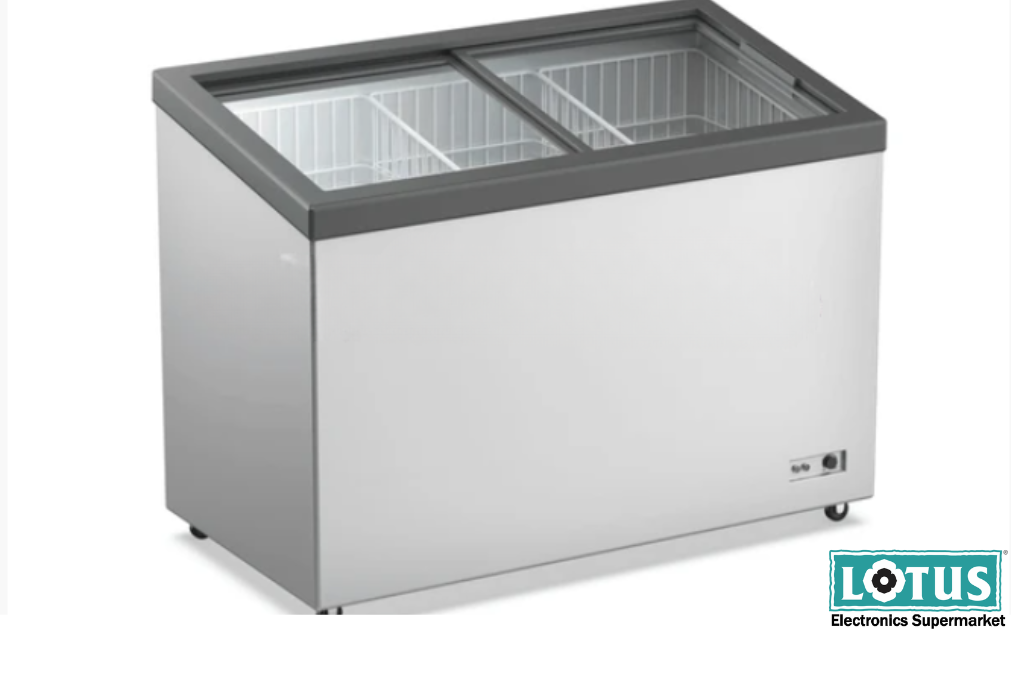
A chest freezer opens from the top and is ideal when you need substantial storage capacity. It can be particularly useful for bulk storage of frozen food and ingredients.

A glass-top freezer can be a better option when product visibility matters. Employees can quickly identify what is inside, and in customer-facing environments, products can be easier to showcase.

A cooler-cum-freezer offers additional flexibility when your business needs both cooling and freezing functionality.

So, don't simply ask, "Which freezer is best?"

Ask instead: "Which freezer design fits the way my business operates?"


3. Look at energy efficiency

A commercial freezer can run for long hours, sometimes continuously. That means electricity consumption can have a noticeable impact on your operating costs.

This is why the energy rating deserves attention.

A higher star-rated model may have a higher initial purchase price, but it can potentially help reduce electricity consumption over its operating life. When you calculate the total cost of ownership, energy efficiency becomes much more important than simply looking at the purchase price.


4. Don't ignore the compressor

The compressor is one of the most important components of a freezer. In a commercial environment, it has to work hard, especially when the freezer is opened frequently or operates in a warm environment.

For businesses in India, particularly in areas that experience hot summers, choosing a model designed to handle demanding conditions can make a difference.


5. Think about accessibility and organisation

A large freezer is useful only when you can actually manage the products inside it.

Imagine a busy restaurant during dinner service. Someone needs frozen ingredients quickly. If everything is stacked randomly, employees may have to spend several minutes searching through the freezer. That wastes time and increases the amount of time the lid or door remains open.

Look for a freezer that suits your storage habits. Consider the number of compartments, baskets, doors, and the overall layout. For larger operations, a double-door model can also make accessing stored products easier.


6. Hard top or glass top?

This is another important decision.

A hard-top freezer is well-suited to businesses where the priority is bulk storage. If customers do not need to see the products, a hard top can be a practical choice.

A glass-top freezer, meanwhile, offers visibility. This can be especially useful in retail environments where customers need to see the products before making a selection.

The right choice depends on whether your freezer is primarily a storage unit or a display-and-storage unit.


7. Consider your available floor space

Commercial kitchens and shops often have limited space.

Before purchasing a deep freezer, measure the area where you plan to install it. Don't forget to account for the space needed around the appliance for opening the lid or doors and for ventilation.

Also, think about movement.

Will employees be able to walk around it comfortably? Can products be loaded and removed easily? Will the freezer block another appliance, counter, or doorway?


8. Think about your business’s growth

Your freezer should not become a limitation as your business grows.

If you currently store 200 litres of frozen products but expect your inventory to increase significantly, buying a slightly larger freezer today could save you from replacing it later.


Deep Freezer options to consider from Lotus Electronics

If you are comparing options for commercial use, here are some models currently featured on Lotus Electronics that are worth exploring:

Blue Star Chest Freezer 300 Litres 3 Star Hard Top CF3-300MEW

This 300-litre hard-top chest freezer can be a practical choice for businesses that need dependable bulk frozen storage without moving into the very large-capacity segment.

Best suited for: Small to medium restaurants, cafés, bakeries, and retail stores.

Market Price: Rs. 38,200

Lotus Price: Rs. 24,299


Blue Star Chest Freezer 315 Litres 5 Star Glass Top GT5-350N

If visibility and energy efficiency are important, this 315-litre 5-star glass-top model is an option to consider. The glass-top design can make it easier to identify products, while the higher energy rating can be attractive for businesses where the freezer operates for long hours.

Best suited for: Ice cream businesses, supermarkets, cafés, and customer-facing stores.

Market Price: Rs. 41,700

Lotus Price: Rs. 33,099


Voltas Chest Freezer 326 Litre 5 Star Glass Top GT440GA5-P-G3

This model offers 326 litres of capacity, a glass top, a 5-star energy rating, a door lock, and dual-temperature functionality. It can be an appealing choice for businesses looking for a combination of storage capacity and flexibility.

Best suited for: Restaurants, supermarkets, food retailers, and businesses with varied frozen-storage needs.

Market Price: Rs. 48,490

Lotus Price: Rs. 34,099


Haier Chest Freezer 588 5 Star Hard Top HFC-588DPW5

For businesses that need more storage, this model offers 588 litres of gross capacity, a double-door hard-top design, convertible technology, heavy-duty compressor locking technology, and a 5-star rating. It is also suitable for harsh Indian summer conditions.

Best suited for: Large restaurants, caterers, supermarkets, food distributors, and high-volume commercial kitchens.

Market Price: Rs. 62,390

Lotus Price: Rs. 38,199


Whether you need a compact 300-litre hard-top freezer, a glass-top model for better visibility, or a 500-litre unit for high-volume storage, Lotus Electronics has multiple deep-freezer options to explore.

You can choose from a range of deep freezers, including chest freezers, cooler-cum-freezers, and display coolers, giving you different options depending on your requirements.

 
Read Story
Is a Portable AC Right for Your Home During Monsoon? Pros, Cons, and Things to KnowBuyers Guide

Is a Portable AC Right for Your Home During Monsoon? Pros, Cons, and Things to Know

Monsoon brings relief from the summer heat, but it also brings something else into our homes: humidity.

Windows stay closed during heavy showers, rooms can start feeling damp and stuffy, and even when the temperature isn't extremely high, the air can feel uncomfortable. A fan may simply circulate humid air, while opening windows isn't always practical during rain.

This is where a portable air conditioner can sound like an interesting solution.

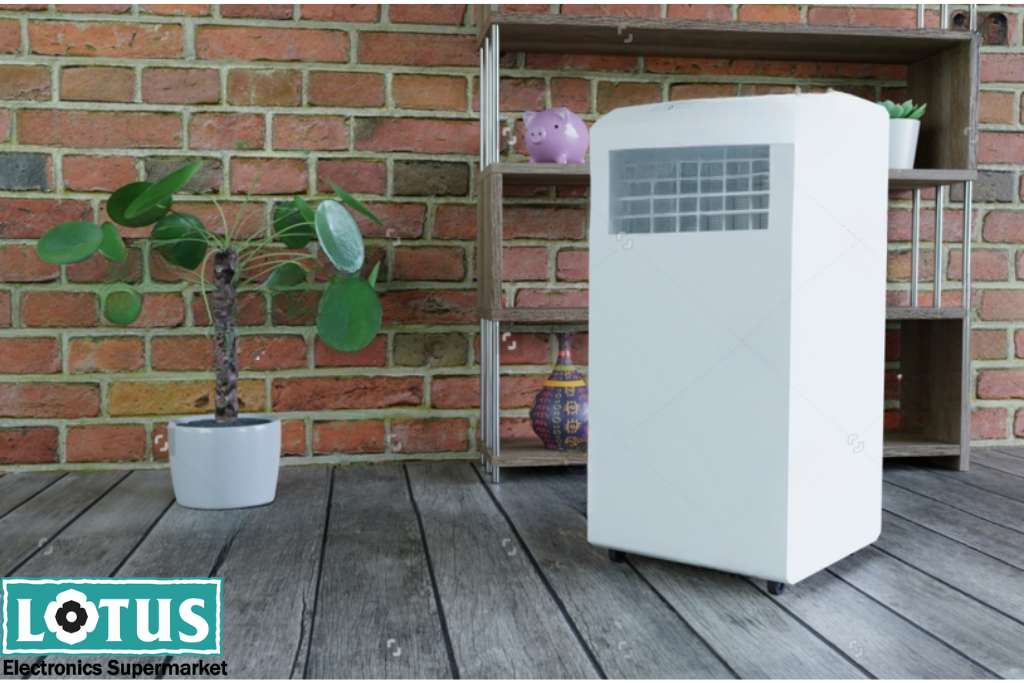
Compact, movable, and designed to cool a specific room, portable ACs can offer flexibility when you need more control over your indoor environment. 

But is a portable AC actually useful during the monsoon? The answer depends on your room, lifestyle, and how you plan to use it.

At Lotus Electronics, we break it down for you.


What is a Portable AC?

A portable AC is a self-contained air-conditioning unit that is mobile. Unlike a conventional split AC, it does not require a permanently mounted indoor unit and outdoor condenser.

Most portable ACs have wheels, making it easier for them to be moved from one place to another.  It also uses an exhaust hose, which should be directed outside through a suitable window or opening.

A portable AC allows you to cool a certain area and become more comfortable without any permanent installations.

This is particularly useful for people who rent houses or use a home office or study room during the day.


The biggest advantage: Flexibility

Imagine you're working from your bedroom during the afternoon, moving to the living room in the evening and using a study room later at night.

With a portable AC, you have the option of moving your cooling solution between suitable rooms when required.

That makes portable ACs particularly appealing for:

  • Renters who cannot make permanent modifications

  • Small apartments

  • Home offices

  • Bedrooms and study rooms

  • Guest rooms

  • Rooms that are used only occasionally

Instead of cooling the entire home, you can focus on the room where you need better comfort at that moment.


Pros of a Portable AC

1. Easy to move

The most obvious benefit is mobility.

Portable ACs are designed to be moved around, unlike wall-mounted split ACs. This can be useful when different rooms have different comfort requirements.

2. No permanent installation

A portable AC generally requires much less installation work than a conventional split system.

This can be a major advantage for tenants or anyone living in a space where permanent alterations aren't practical.

Lotus Electronics' AC information highlights portable ACs as versatile, easy to move and suitable when permanent installation isn't preferred.

3. Useful for specific rooms

You may not need air conditioning throughout your home during the monsoon.

Perhaps your bedroom becomes humid at night, or your home office feels stuffy during the afternoon.

4. Useful for humid indoor conditions

One of the biggest monsoon discomforts is humidity.

Even when the temperature isn't particularly high, humid air can make a room feel warmer and less comfortable.

5. Convenient for temporary or additional cooling

In case you have a guest room that only needs occasional cooling, a portable unit can provide an additional cooling option without requiring a permanent AC installation.


But there are some downsides

Portable ACs can be convenient, but they aren't the ideal choice for every home.

Before buying one, it's important to understand the limitations.

1. They can be noisier

Because the cooling components are housed within the unit inside your room, portable ACs can be more noticeable during operation.

2. They may be less efficient

Portable ACs can be less efficient than some permanently installed AC systems, depending on the model, room conditions, and usage.

This simply means you should consider how often you plan to use the unit and how much cooling you actually need.

During the monsoon, when AC usage may be intermittent rather than continuous, your expected usage should be an important part of the buying decision.

3. You still need to manage the exhaust

This is one detail buyers sometimes overlook.

A portable AC generally needs to remove hot air through an exhaust hose. Therefore, you need an appropriate window or opening for the exhaust setup.

During the monsoon, this becomes even more important because rainwater should not enter through an improperly arranged window or exhaust setup.

So while there may not be a permanent installation, there is still some setup involved.

4. They occupy floor space

Unlike a wall-mounted split AC, a portable AC sits on the floor.

That means you need to think about where it will go. A small room with limited floor space may feel more crowded once the AC, hose and power cable are in place.

5. They are not designed to cool an entire home

If you want consistent cooling across several rooms, a split, central, or other multi-room solution may be more appropriate.


So, who should consider a Portable AC?

A portable AC can be a practical choice if:

  • You live in a rented home.

  • You don't want a permanent AC installation.

  • You need cooling for one particular room.

  • Your room feels warm or humid during the monsoon.

  • Your cooling requirements change throughout the day.

  • You want a flexible cooling solution.

  • You need temporary or additional cooling.


Portable AC vs Split AC: Which one makes more sense during Monsoon?

Think of it this way:

Portable AC = flexibility and convenience

Split AC = permanent installation and long-term cooling

If you're renting, move homes frequently, or only need to manage comfort in a specific room, portability can be a major advantage.

In case you have already settled in your home and need reliable cooling and dehumidification over an extended period, installing an appropriately sized split air conditioning unit might be more practical.

The right choice depends on your home, your room, and your lifestyle.


Explore your cooling options with Lotus Electronics

Lotus Electronics offers a wide range of air conditioners across categories, including split ACs, window ACs, portable ACs, cassette ACs, and tower ACs, giving shoppers several options depending on their space and cooling requirements.

Before buying an air conditioner, take into account factors such as cooling capacity, energy efficiency, installation requirements, noise levels and the size of the room where you need cooling.

In case you are considering buying a portable AC from Lotus Electronics during the monsoon, consider other relevant aspects, including window compatibility, exhaust mechanism, maintenance, and frequency of use.

 
Read Story
Whirlpool Washing Machine Buying Guide: Top Load vs Front Load ExplainedBuyers Guide

Whirlpool Washing Machine Buying Guide: Top Load vs Front Load Explained

Choosing the Right Whirlpool Washing Machine

Buying a new washing machine can feel confusing. There are so many choices out there. If you want a Whirlpool washing machine, the first thing to decide is top load or front load. Both will wash your clothes well, but they work in different ways. Each one suits different homes and needs. This guide explains it in easy words so you can pick the best one for your family. 

What Is a Top Load Washing Machine

A top load washing machine has a lid on top. You open it to put your clothes inside. Whirlpool makes both semi-automatic and fully automatic top load machines. They come in sizes from about 7.5 kg to 11 kg, so there is a good option whether your family is small or big. Semi-automatic machines usually cost less and let you control each step of the wash yourself. Fully automatic machines do everything on their own, from filling water to spinning your clothes dry. 

What Is a Front Load Washing Machine

A front load washing machine has a door on the front, like a dryer. You put your clothes in through this door. Instead of using a spinning rod in the middle, it washes clothes by tumbling them around. Front load machines are gentle on clothes and use less water. This can also mean lower water bills over time. 

Top Load vs Front Load: Key Differences

Water and Energy Use: Front load machines use less water and less electricity per wash. This is because they do not need to fill up completely with water like top load machines do.

Washing Performance: Front load machines are often better at removing tough stains because of the way they tumble clothes. Top load machines, especially fully automatic ones, still clean everyday laundry very well.

Ease of Use: Top load machines are easier on your back. You do not have to bend down to put in or take out clothes. This makes them a good choice for elderly people or anyone who finds bending difficult.

Price: Top load machines, especially semi-automatic ones, usually cost less than front load machines. If your budget is tight, a Whirlpool top load model is a good starting point.

Wash Time: Top load machines usually finish a wash faster. Front load machines can take longer because of their thorough tumbling wash.

Space and Installation: Front load machines can often be stacked with a dryer, so they save space. Top load machines need open space above them so the lid can fully open.


Which One Should You Choose

If you want a machine that is budget-friendly and easy to use, and you don't mind using a bit more water, a Whirlpool top load washing machine is a smart choice. If you care more about saving water and keeping your clothes gentle, and you don't mind paying more or waiting a bit longer, a Whirlpool front load machine may suit you better. 

Find Your Whirlpool Washing Machine at Lotus Electronics

Whirlpool has many top load and front load washing machines to fit different needs and budgets. You can check out the full range online, or visit your nearest store to see the models in person before you decide. 

 
Read Story